
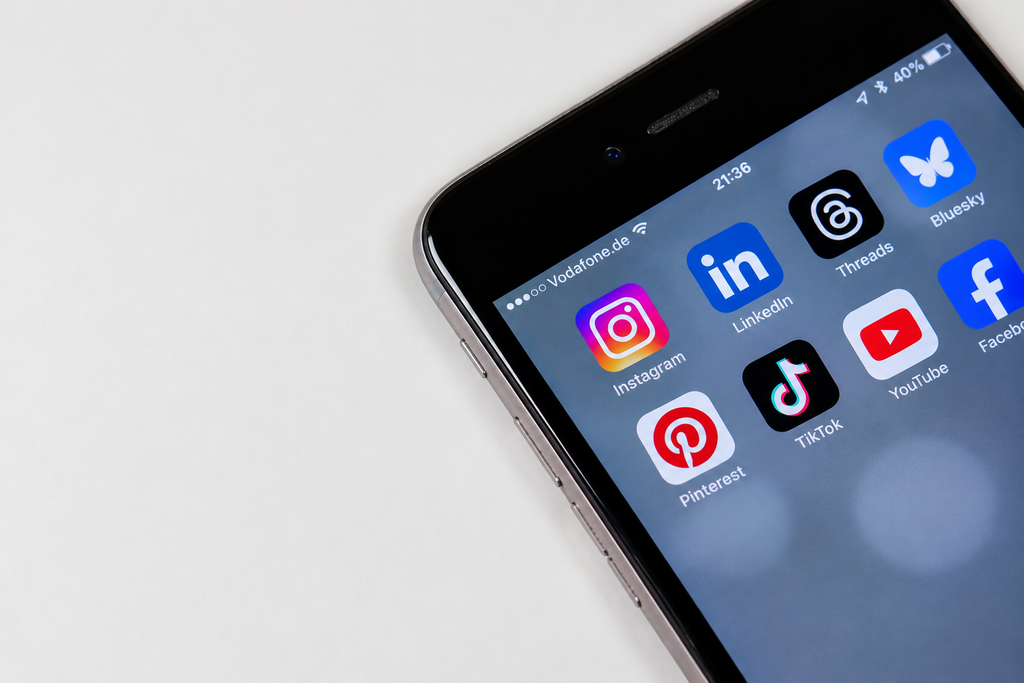
Every social platform has its own rules about how many photos you can post, how large each file can be, and what shape your image needs to be. Get one of those wrong and your post gets cropped, compressed into a blurry mess, or rejected at upload.
This cheat sheet puts the key media limits for every major platform in one place. You’ll find recommended image sizes, aspect ratios, file size caps, and photo and video limits for Instagram, Facebook, LinkedIn, TikTok, Pinterest, YouTube, Threads, Bluesky, and X.
One warning before you start. Platforms change these numbers often, and sources frequently disagree. Where figures conflict, we say so. Treat this guide as a working reference, and confirm anything critical in each platform’s help center before a big campaign.
The Sizes That Work Almost Everywhere
If you only remember three formats, make them these. They cover most of what you’ll publish.
| Format | Size | Aspect ratio | Where it works best |
|---|---|---|---|
| Portrait feed image | 1080 x 1350 px | 4:5 | Instagram, Facebook, LinkedIn, Threads, and Bluesky feeds |
| Square image | 1080 x 1080 px | 1:1 | Safe on nearly every platform |
| Vertical video or story | 1080 x 1920 px | 9:16 | Reels, TikTok, YouTube Shorts, Stories |
The 4:5 portrait is the most versatile single image size. It takes up more screen space than a square on mobile without triggering heavy cropping. For vertical video, 1080 x 1920 is the standard that travels across TikTok, Reels, and Shorts.
Quick Comparison of Post Image Sizes by Platform
Here is a side-by-side view of the recommended feed image for each platform.
| Platform | Recommended feed image | Aspect ratio |
|---|---|---|
| 1080 x 1350 px | 4:5 | |
| 1080 x 1350 px or 1200 x 630 px (link) | 4:5 or 1.91:1 | |
| 1080 x 1350 px or 1080 x 1080 px | 4:5 or 1:1 | |
| X | 1600 x 900 px or 1080 x 1080 px | 16:9 or 1:1 |
| Threads | 1080 x 1350 px | 4:5 |
| 1000 x 1500 px | 2:3 | |
| TikTok | 1080 x 1920 px | 9:16 |
| YouTube | 1280 x 720 px (thumbnail) | 16:9 |
| Bluesky | Flexible, kept under the file size cap | Varies |
Notice that Pinterest and YouTube are the outliers. Pinterest prefers a taller 2:3 shape, and YouTube works in landscape 16:9. Everything else gravitates toward 4:5 and 9:16.
1. Instagram Media Limits
Instagram’s best-performing feed format is the 4:5 portrait at 1080 x 1350 pixels. Square (1080 x 1080) and landscape (1.91:1) are also supported. Stories and Reels use the full 1080 x 1920 vertical screen. Carousels are where the limits get interesting. Instagram now allows up to 20 photos or videos in a single carousel when you post from the app, up from 10 in 2024. You can mix photos and videos freely, and each video slide can run up to 60 seconds.
The first slide sets the crop for the whole carousel. Instagram forces later slides to match the aspect ratio of slide one, so mixing landscape and portrait images leads to cropping. There is an important catch for scheduled posts. One guide reports that Meta’s publishing API, which third-party scheduling tools use, limits carousels to 10 items, so an 11-to-20-slide carousel may need to be published manually in the app.
File size figures vary by source. Some guides list 8 MB per photo, while others list 30 MB. Keep photos well under 8 MB and you’ll be safe either way. Also remember that your profile grid displays posts at a 3:4 crop regardless of the ratio you upload, so keep key elements centered.
2.Facebook Media Limits
Facebook is flexible about image shapes. The most common sizes are 1080 x 1350 pixels (4:5) for the most space on mobile, 1080 x 1080 pixels (square), and 1200 x 630 pixels (1.91:1) for link previews and landscape images. Stories and Reels use 1080 x 1920 pixels. Link preview images come from the website you link to, through its Open Graph image tag, not from the post itself. If your preview looks wrong, fix the image tag on your page.
Profile and cover sizes are where sources disagree. Profile pictures are commonly listed at 180 x 180 or 720 x 720 pixels, and cover photos at 820 x 312 or 851 x 315 pixels. Facebook says profile uploads should be at least 320 x 320 pixels. Because these numbers shift, design with a generous safe zone around your key elements.
For video, Facebook Reels are generally described as vertical 1080 x 1920 clips with a shorter maximum length than regular feed video. Durations change, so check Facebook’s current limits before you plan a long clip.
3. LinkedIn Media Limits
LinkedIn is one of the clearest platforms on photo limits. You can post up to 20 photos in a single multi-image post, with a minimum of two. A post can carry only one type of media, so you can’t mix photos and video.
For feed images, LinkedIn accepts aspect ratios from 3:1 to 4:5, with a minimum size of 552 x 276 pixels and a recommended width of 1080 pixels. Portrait (1080 x 1350) and square (1080 x 1080) work best. Link preview images should be 1200 x 627 pixels. The file size limit for a feed photo is 5 MB, and LinkedIn supports images up to 36 megapixels. Company Page images are reported to have a lower 3 MB cap.
LinkedIn also supports document posts, often used as carousels. These allow files up to 100 MB and 300 pages. Personal banners are commonly listed at 1584 x 396 pixels, and profile photos at 400 x 400 pixels. Company Page cover sizes vary between sources, so verify them before designing.
4.TikTok Media Limits
TikTok is built around vertical content. The recommended size for both video and photo posts is 1080 x 1920 pixels at a 9:16 ratio. TikTok supports other ratios such as 1:1 and 16:9, but vertical performs best. One guide reports that TikTok photo posts can include up to 35 photos. Uploaded video length is commonly cited as up to about 10 minutes, though longer uploads may be available depending on your account.
Profile pictures are typically listed at 200 x 200 pixels. For scheduling, TikTok’s native desktop scheduler works from 15 minutes to 10 days ahead, according to third-party guides, and a scheduled video can’t be edited afterward. Scheduling tools that publish through TikTok’s API hold your content in their own queue.
Keep important text and faces away from the edges and the bottom of the frame, where captions and interface buttons overlay the video.
5. Pinterest Media Limits
Pinterest prefers tall images. The recommended size is 1000 x 1500 pixels at a 2:3 aspect ratio, and square pins at 1000 x 1000 also work. Pins taller than 2:3 may get cut off. For file size, a guide quoting Pinterest’s specifications lists a maximum of 20 MB on desktop and 32 MB in the mobile app, with JPG, PNG, and WebP among accepted formats. The same guide recommends keeping files under 5 MB for performance.
Video Pins work best in vertical formats such as 9:16 (1080 x 1920) or 2:3. Length limits vary across sources, from a few seconds minimum to a maximum of between 5 and 15 minutes, so confirm the current rule before uploading long videos. Because Pinterest works like a search engine, pair your correctly sized image with a keyword-rich title and description.
6. YouTube Media Limits
YouTube’s image rules mostly concern thumbnails. The classic recommendation is 1280 x 720 pixels at 16:9, with a minimum width of 640 pixels. The standard cap for that size is 2 MB, with JPG, PNG, and GIF accepted. Newer guidance goes higher. Some recent guides say YouTube now recommends 3840 x 2160 pixels (4K, still 16:9), with files up to 50 MB when uploaded from a computer, while the phone app keeps the 2 MB limit. If you’re unsure, a 1280 x 720 thumbnail under 2 MB works everywhere.
Shorts are vertical 9:16 videos at 1080 x 1920, and guides report they can run up to 3 minutes. Channel banners are commonly listed at 2560 x 1440 pixels with a minimum of 2048 x 1152 and a 6 MB cap, with key content inside a central safe area. Any image that isn’t exactly 16:9 may be cropped, so export your thumbnails at the correct ratio.
7. Threads Media Limits
Threads follows Instagram’s visual conventions. The commonly recommended post image is 1080 x 1350 pixels (4:5), with square 1:1 also supported. Maximum file size is cited as 8 MB per image, and JPEG and PNG are the safest formats.
Carousel limits are where sources disagree. Meta announced that Threads carousels can include up to 20 images or videos, and multiple guides repeat that number. One guide, however, says the app itself allows up to 10 media items while posts published through the Threads API can hold up to 20. Check what your account and your scheduling tool allow.
Video guidance cites vertical 1080 x 1920 clips up to about 5 minutes. Text is capped at 500 characters per post, though Threads has added longer text attachments.
8. Bluesky Media Limits
Bluesky is stricter than most platforms. A post can hold up to four images or a single video, but never both. Posts are capped at 300 characters, and images don’t count toward that limit.
Image file size is the limit that trips people up. Bluesky’s community documentation lists a maximum of 1 MB per image, while one recent guide lists 2 MB. Scheduling platforms commonly report a 1 MB blob limit and automatically recompress images to fit. Compress your images under 1 MB to be safe.
Video is limited to one file per post, up to 3 minutes and 100 MB. Supported formats include MP4, and some sources also list MPEG, WebM, and MOV. Alt text is encouraged, and some guides cite room for up to 2,000 characters per image.
9. X (Twitter) Media Limits
X allows up to four images, one animated GIF, or one video per post. A post carries only one of those types at a time.
For image sizes, common recommendations are 1600 x 900 pixels (16:9) for in-feed landscape images and 1080 x 1080 pixels (1:1) for square. Profile photos are typically listed at 400 x 400 pixels, and headers at 1500 x 500 pixels (3:1).
File size caps are cited as 5 MB for images and 512 MB for standard video uploads. Longer and larger videos may be available depending on your account type and X’s current rules, so verify before planning longer content.
Video Specs at a Glance
Video limits change more often than image limits, and sources frequently conflict. Use this table as a starting point and verify duration limits before publishing.
| Platform | Recommended video size | Notes |
|---|---|---|
| Instagram Reels | 1080 x 1920 (9:16) | Length limits reported between about 90 seconds and 3 minutes |
| TikTok | 1080 x 1920 (9:16) | Uploaded video commonly cited up to about 10 minutes |
| YouTube Shorts | 1080 x 1920 (9:16) | Up to 3 minutes reported |
| Facebook Reels | 1080 x 1920 (9:16) | Shorter limits than regular feed video |
| Bluesky | MP4 | One video, up to 3 minutes and 100 MB |
| Threads | 1080 x 1920 (9:16) | Up to about 5 minutes reported |
| X | 1920 x 1080 or 1080 x 1920 | Standard uploads reported up to 512 MB |
| 9:16 or 2:3 | Duration limits vary by source |
If you only make one video, make it 1080 x 1920 at 9:16. A single vertical file can be reused across TikTok, Reels, Shorts, and several other platforms.
Photo Count Limits at a Glance
How many photos can you attach to one post? Here is the current picture, including the places where sources disagree.
| Platform | Maximum photos per post | Notes |
|---|---|---|
| 20 | Minimum of 2 for a multi-image post | |
| 20 in the app | One guide reports 10 via the publishing API | |
| Threads | 20 | One guide says 10 in-app and 20 via API |
| TikTok | Up to 35 (photo posts) | Reported by one guide |
| Bluesky | 4 | Or one video, not both |
| X | 4 | Or one GIF or one video |
| 1 per standard Pin | Carousel Pins exist, so check current limits | |
| Multiple, varies | Confirm current limits in the composer |
The big lesson: the number you can post from inside an app is not always the number a scheduling tool can publish, because tools work through each platform’s API.
File Size Limits at a Glance
File size is the limit that most often causes failed uploads. These are the most commonly reported figures.
| Platform | Image file size | Notes |
|---|---|---|
| 5 MB (feed), 3 MB (Page images) | Up to 36 megapixels | |
| 8 MB to 30 MB | Sources disagree, so stay under 8 MB | |
| Threads | 8 MB | JPEG or PNG recommended |
| 20 MB desktop, 32 MB in app | Under 5 MB recommended | |
| YouTube | 2 MB (thumbnail), up to 50 MB on desktop for 4K | Phone app stays at 2 MB |
| Bluesky | About 1 MB (some sources say 2 MB) | Tools often recompress automatically |
| X | 5 MB | Reported for images |
When in doubt, compress. A JPG exported at around 85 percent quality is usually small enough for every platform on this list while still looking sharp.
How to Design One Master Image for Every Platform
You don’t need a separate design for each network. A simple workflow covers most of them.
- Start with the largest canvas you need, such as 1080 x 1920 pixels. Never scale a small image up, because it gets blurry.
- Then crop down to the nearest fit for each platform. Use 4:5 for Instagram, Facebook, LinkedIn, and Threads, 9:16 for Reels, TikTok, and Shorts, 16:9 for X and YouTube, and 2:3 for Pinterest.
- Keep text and faces in the center. Every platform crops edges, and Stories and Reels overlay buttons at the top and bottom.
- Export as JPG for photos and PNG for text-heavy graphics, then check the file size before uploading.
Common Media Mistakes to Avoid
Most upload problems come from the same handful of mistakes.
- Uploading oversized files is the most common one. Bluesky’s cap is small enough that even a modest photo can fail.
- Mixing aspect ratios in a carousel is another. Instagram and LinkedIn both crop outliers to match the first image.
- Ignoring the difference between in-app limits and API limits catches many scheduled posts. Check what your tool supports.
- Putting key elements near the edges causes crops on banners, covers, and vertical video.
- Relying on outdated guides is the last big one. Specs change, so verify the numbers before a major campaign.
How Adorack Helps You Manage Media Across Platforms
Knowing the limits is half the job. Publishing consistently across every network is the other half, and that’s where Adorack helps. Adorack is a social media management platform that brings your accounts into one workspace. It supports networks including LinkedIn, TikTok, Pinterest, Bluesky, Facebook, Instagram, Threads, and YouTube, so you can plan content for several platforms from one place.
Its content library gives your correctly sized images and videos a home. You can store posts and media, organize them with categories, and reuse strong content later, so your carefully sized assets don’t get lost in folders. The queue scheduling system lets you add posts to a queue that publishes automatically at predefined time slots. Once your media is prepared to spec, you can load it up and let the queue handle the timing.
The content calendar shows your scheduled posts, campaigns, and time slots across platforms in one view, which makes it easy to spot gaps or a week that leans too heavily on one format. For teams and agencies, role-based permissions and an approval workflow let a manager check media before it goes live. That’s a useful safeguard when one oversized file or wrong crop could slip through. Campaign scheduling also lets you plan related posts across platforms together, so one master image can become a coordinated launch.
Frequently Asked Questions About Social Media Media Limits
What is the best image size for all social media?
1080 x 1350 pixels (4:5) is the most versatile feed size. It works on Instagram, Facebook, LinkedIn, Threads, and Bluesky. For Stories, Reels, TikTok, and Shorts, use 1080 x 1920 pixels (9:16).
How many photos can you post on Instagram?
Up to 20 photos or videos in a carousel posted from the app. Scheduling tools that use Meta’s API may be limited to 10, according to one guide.
How many photos can you post on LinkedIn?
Up to 20 photos in one multi-image post, with a minimum of two.
What is the maximum image size for Bluesky?
Bluesky caps image files at about 1 MB, though one recent guide lists 2 MB. Posts hold up to four images or one video.
What size should a Pinterest pin be?
1000 x 1500 pixels at a 2:3 aspect ratio is the recommended size.
What size should a YouTube thumbnail be?
1280 x 720 pixels at 16:9, under 2 MB, works everywhere. Some recent guidance recommends 3840 x 2160 for desktop uploads.
Can I post photos and video together?
It depends on the platform. LinkedIn, Bluesky, and X don’t allow mixing them in one post, while Instagram carousels can combine photos and videos.
Why was my image rejected or cropped?
The usual causes are a file over the size cap, an aspect ratio outside the supported range, or key elements placed too close to the edges. Resize, compress, and center your key content.
Do scheduling tools have different limits than the apps?
They can. Tools publish through each platform’s API, which sometimes has lower limits than the native app, such as Instagram’s carousel size.
How often do these limits change?
Often. Always verify critical specs in each platform’s help center before a major campaign.
Final Thoughts
Media limits are easier to manage when you reduce them to a few rules. Use 4:5 for feeds, 9:16 for vertical video, 2:3 for Pinterest, and 16:9 for YouTube and X. Keep files small, keep key content centered, and remember that scheduled posts may face tighter limits than posts made in the app.
Build one master asset, crop it for each platform, and run it through a repeatable system. With a library, a queue, and a calendar behind you, every platform gets media that looks right.
Ready to publish across every platform with less effort? Start with Adorack and keep all your channels organized in one workspace